Introduction Every time you connect to the internet, your device is assigned a unique string of numbers known as an IP (Internet Protocol) address. Think of it as your digital return address; without it, websites would not know where to send the data you requested.
However, in the modern digital age, your IP address is also a massive tracking tool. If you have ever wondered exactly what information a website, a hacker, or an advertiser can extract from your IP address, you are in the right place.
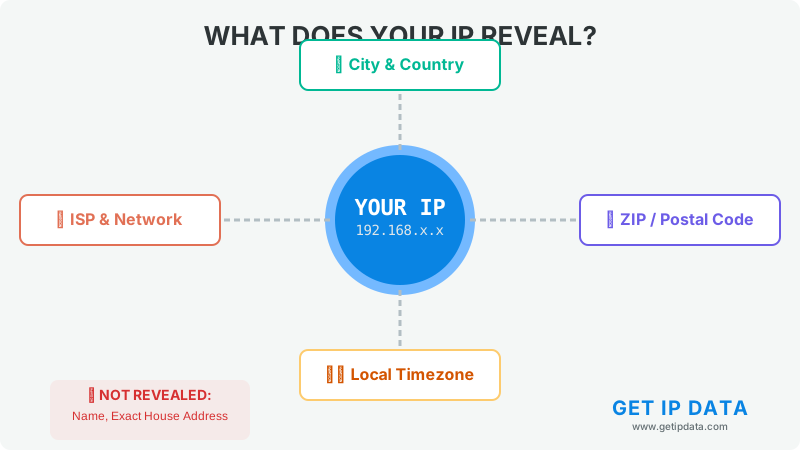
What Your IP Address DOES Reveal When you visit a website, the server instantly logs your IP address. Based on that number alone, they can immediately determine:
-
Your Geolocation: While it won't show your exact bedroom window, it accurately reveals your country, state, city, and often your specific ZIP or postal code. (You can test this yourself by looking at the live map on our homepage!)
-
Your Internet Service Provider (ISP): Your IP tells websites exactly which company provides your internet (e.g., Comcast, AT&T, Vodafone, or Jio).
-
Your Connection Type: It reveals whether you are browsing from a mobile cellular network (4G/5G), a home broadband connection, or a corporate business network.
-
Your Timezone: Websites use this to know exactly what time it is where you live.
What Your IP Address DOES NOT Reveal Hollywood movies often show hackers typing an IP address and instantly finding a person's name and exact street address. In reality, public IP tracking doesn't work that way. An IP address alone cannot reveal:
-
Your legal name or phone number.
-
Your exact street address or house number.
-
Your personal email address or passwords.
Note: While websites cannot see your exact name, your ISP (Internet Service Provider) has a master log connecting your IP address to your real name and billing address. Government agencies can legally request this information from your ISP.
Why Should You Care? The Privacy Risks Even though your exact name isn't public, the data revealed is enough to invade your privacy.
-
Targeted Advertising: Ad networks track your IP across multiple websites to build a profile of your habits and show you localized ads.
-
Geo-Blocking: Streaming services like Netflix use your IP's location data to block you from watching movies available in other countries.
-
Digital Footprinting: Every comment you make, video you watch, and file you download is logged by your ISP under your IP address.
How to Hide Your IP Address and Protect Yourself If you want to take back your digital privacy, you need to mask your real IP address. The two best ways to do this are:
-
Use a VPN (Virtual Private Network): A VPN encrypts your entire internet connection and replaces your real IP address with one from a remote server. To the internet, it looks like you are browsing from a completely different city or country.
-
Use a Proxy: Similar to a VPN, a proxy acts as a middleman. It is excellent for masking your IP for specific browser tasks or web scraping.
Conclusion Your IP address is the core identity of your digital footprint. While it doesn't give away your exact street address to random websites, it reveals more than enough about your location, provider, and habits to compromise your privacy. Taking proactive steps—like using a premium VPN—is the best way to keep your personal data out of the wrong hands.